The world's most powerful traffic, visibility, and market dataset. Inside your AI assistants.
Connect Semrush MCP to AI
The leading platform that unifies SEO authority and AI visibility.
Try Semrush One for free
Discover how leading brands get found and chosen in AI answers.
October 13, 2026London, UK
Get your ticket now
Knowledge Base
Semrush Toolkits
Local
Listing Management
Can I use Listing Management for a location that does not have a physical address?

Can I use Listing Management for a location that does not have a physical address?

Yes, it is possible. An address is required to use the Listing Management tool. However, on setup, you can opt to hide your business address from the directories.

Please note that when adding an address, it must be a physical mailing address (P.O. Boxes are not eligible). 

Also, you can hide the address after setup. Go to the Local Dashboard and click on the “Edit info” button.
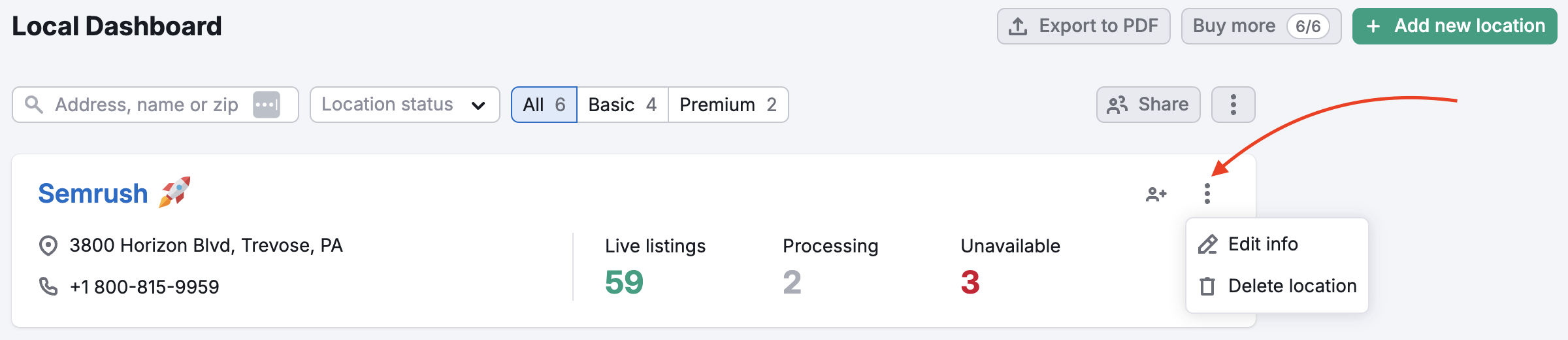
An example of a location with a red arrow pointing to the three dots on the right. By clicking these three dots you will open a drop down with 'Edit info' and 'Delete location' buttons.

In the Placement section, you will be able to hide the address.
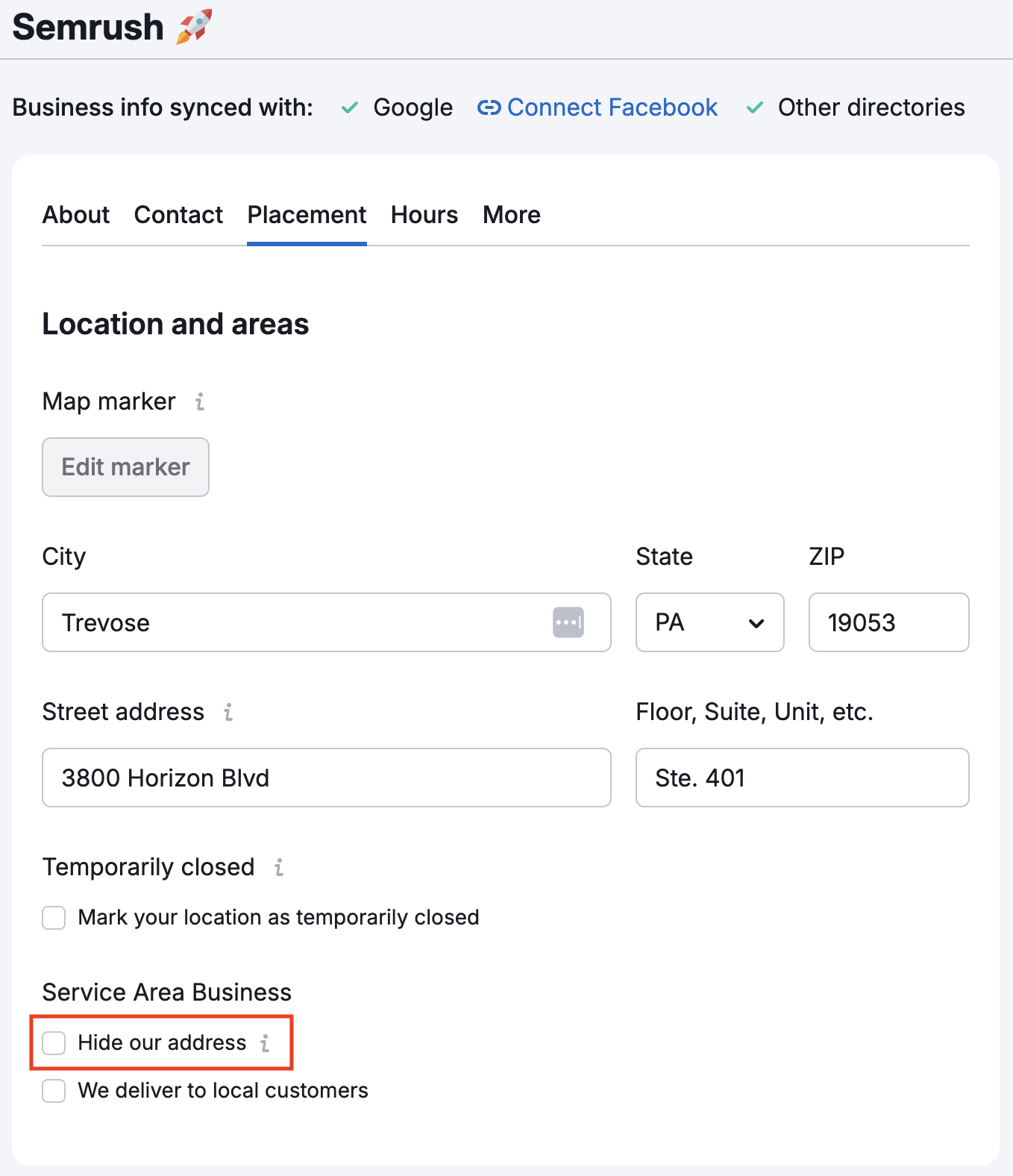
The Placement tab with a red rectangle highlighting the 'Hide my address in listing' checkbox.

Please note: Hiding your address is only applicable for selected websites.